
Changelog

Follow new updates and improvements to Courserev.ai.

Automated Scheduling for AI Voice Channel

Date: Wednesday, November 4, 2026 | Status: Live 🚀 | Availability: Courses on Courserev V2

⏱️ Your AI Voice, On Your Schedule

Some courses want AI Voice answering every call, all day. Others want it only after the pro shop closes. With the new Voice Channel Scheduler, you choose when AI Voice is active right from your Course Dashboard. It then switches itself on and off for you, so nobody has to flip a toggle at closing time.

🔀 Two Flexible Operating Modes:
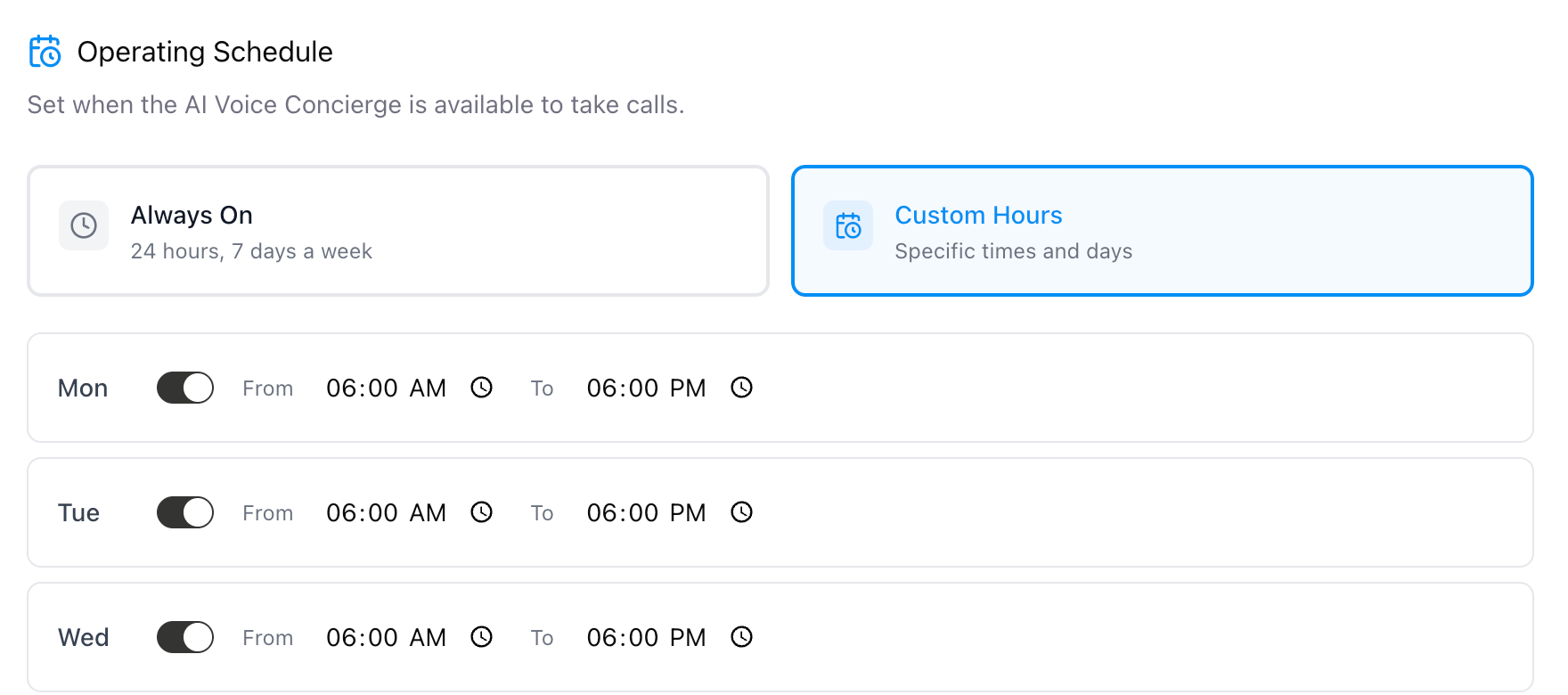
  1. Always On (24/7):

    • Keep your AI Voice Concierge active around the clock to handle every incoming call, book tee times, and field questions with zero downtime.

  2. Custom Hours:

    • Tailor exactly when AI takes over the phones using a granular daily schedule builder (Monday – Sunday).

    • Individual Day Toggles: Easily turn AI coverage ON or OFF for specific days of the week.

    • Recurring Time Windows: Set custom From and To hours per active day (e.g., after-hours coverage from 6:00 PM to 6:00 AM, Monday through Friday, or weekend-only support).

🔑 How It Works:

  1. Pick your operating mode: Go to Settings > AI Voice Settings and choose one of two cards. Always On (24/7) is the default for every course. Custom Hours lets you set your own schedule.

  2. Build your weekly schedule: With Custom Hours selected, a Monday–Sunday schedule builder opens. Turn each day on or off and set its From and To times.

  3. Cover the overnight hours: Schedules can run past midnight, for example 6:00 PM to 6:00 AM, so AI Voice can handle calls while the pro shop is closed.

  4. Automatic switching: AI Voice turns on and off at your scheduled times, with no manual changes and no page refresh. All times use your local time zone.

  5. See the status at a glance: When AI Voice is paused outside your hours, a "paused due to schedule" badge appears on your Dashboard and a status banner appears on the AI Voice Channel page.
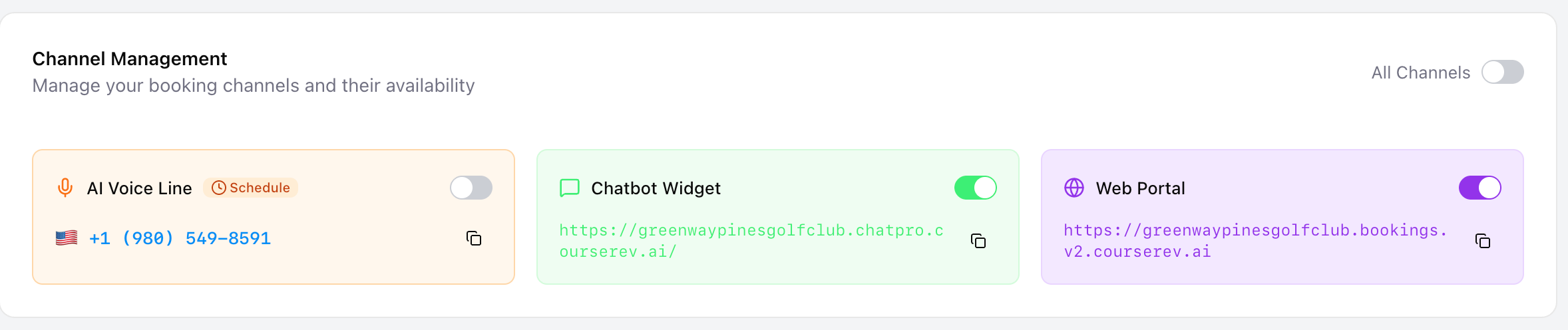
  6. Calls still reach your team: While AI Voice is paused, calls go straight to your pro shop.

💡 Why Course Managers Love This:

  • You decide when AI Voice works: Run it all the time, or only when your staff are off.

  • Simple after-hours coverage: Golfers who call after closing still get help.

  • Nothing to remember: The schedule switches AI Voice on and off for you.

  • Clear status: You can always see whether AI Voice is active or paused.

🛠️ Getting Started:

Navigate to the Settings / AI Voice Concierge section in your Courserev V2 Dashboard to select your operating mode and configure your custom hours!

📖 Want a step-by-step walkthrough? Our How-To guide, with a short video, covers everything you need to set up your schedule: https://help.courserev.ai/articles/6349581-how-to-schedule-when-your-ai-voice-answers-calls
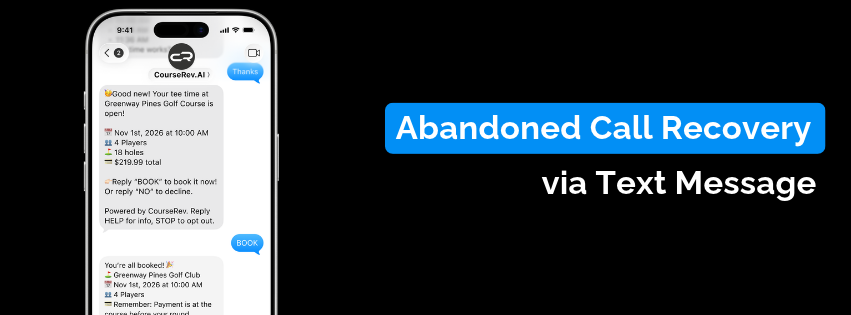

Abandoned Call Recovery via Text Message/SMS

Date: Monday, October 26, 2026 | Status: Live 🚀 | Availability: Courses on Courserev V2

📲 Recover Dropped Bookings Automatically with One-Tap Text Message

Never lose a caller halfway through a booking again. We have rolled out Abandoned Call Recovery via text message/SMS, an automated follow-up engine that recaptures interested golfers who hang up or disconnect before finalizing their reservation over the phone.

🔑 How It Works:

  1. Intelligent Tee Sheet Scan: If a golfer calls in but drops off before completing the booking, the system automatically checks your tee sheet for the exact tee time they requested or the closest available slot nearby.

  2. Instant Text Message Follow-Up: The golfer receives a text message with the found tee time details right after the call ends.

  3. One-Word Confirmation: To secure the spot, the golfer simply replies "BOOK" via text message. The reservation is immediately confirmed and synced directly into your tee sheet.

💡 Why Course Managers Love This:

  • Zero Lost Revenue: Automatically rescues high-intent golfers who had to hang up due to bad reception, a distraction, or lack of time.

  • Frictionless Re-Engagement: Converts a missed call into a confirmed reservation in seconds without needing a staff callback.

  • Automated Tee Sheet Protection: Keeps open inventory moving by closing bookings quickly through text.

🛠️ Getting Started:

This flow is already activated for all courses on Courserev V2—no setup or configuration required!

Native Lightspeed Payments Integration

Date: Monday, October 26, 2026 | Status: Live 🚀 | Availability: Courses integrated with Lightspeed Tee Sheet

🚀 What’s New

You can now connect your existing Lightspeed Payments account directly to CourseRev. This removes the need for separate third-party payment gateways, enabling automated payment processing, direct payouts, and centralized reporting across all booking channels.

⚙️ Key Capabilities

  • Native Omnichannel Processing: Process transactions seamlessly across all five CourseRev channels—Voice, Chat, Web, Messaging, and Agentic workflows—using your existing Lightspeed merchant account.

  • Direct Fund Routing: Booking revenue bypasses intermediary holding accounts and routes directly into your standard Lightspeed payout batches.

  • In-Account No-Show & Cancellation Fees: Charge no-show and cancellation fees directly to the golfer’s customer profile in Lightspeed using the stored payment method from the original booking.

  • Single-Source Reconciliation: Eliminate manual cross-referencing. Online bookings, penalty fees, and on-property point-of-sale transactions now consolidate within your Lightspeed ledger, aligning daily batches directly with your bank deposits.

🛠️ Getting Started

No new merchant account applications or gateway configurations are required. To activate the integration for your facility, please contact your CourseRev Account Manager, and our team will get it connected for you.

Earlier updates