Players
Written By Courserev Help
Last updated About 1 year ago
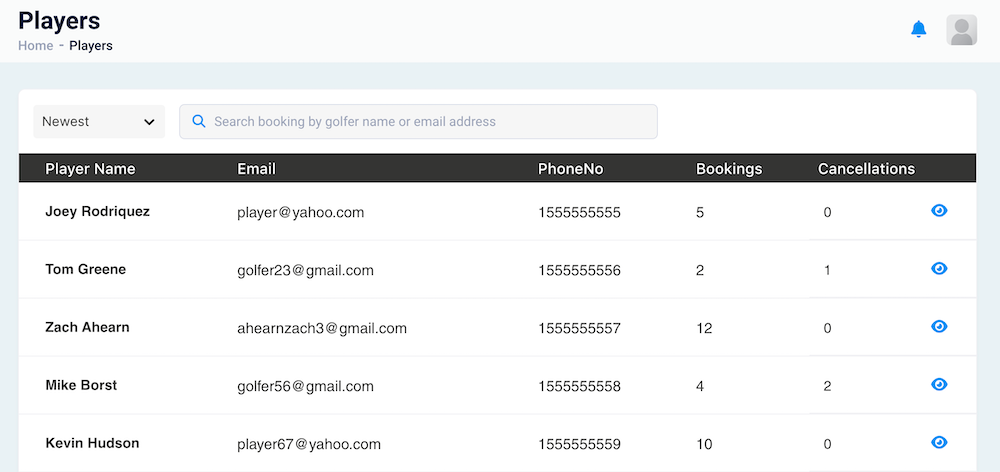
On the Players page, you'll find a list of all clients who have used the Voice Concierge or Chat Bot to make a reservation at your golf course. This section helps you keep track of every golfer interacting with your course through Courserev's system.
You will see a table with the following information for each player:
Name
Email address
Phone number
Bookings done
Cancellations done
There is one available action for each player: View. When you press the eye icon, a new page will open, displaying the player's full profile.
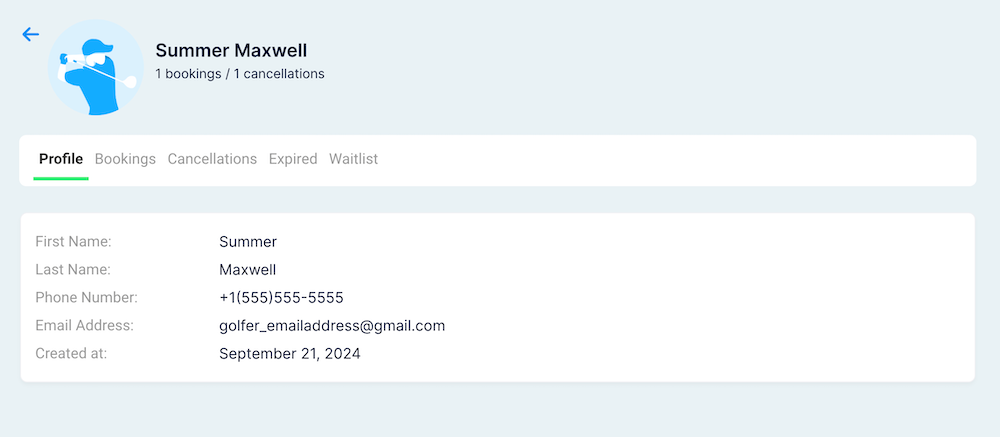
Player’s Profile Page:
On this page, you can view more detailed information about each player:
Basic Information: This section shows the player's first name, last name, email, phone number, and the date they were registered in the system.
Bookings: A comprehensive list of all the bookings made by the player through Courserev's system.
Cancellations: A list of all the reservations the player has canceled through Courserev.
Expired: Displays all reservations made by the player that have expired (not confirmed).
Waitlist: This section contains a list of all the tee time slots the player has requested and is currently on the waitlist for.
Watch the video for more details: