Call Details Page
Written By Courserev Help
Last updated 5 months ago
The Call Details page is a powerful transparency tool that allows you to review exactly what happened during a conversation between a golfer and your AI Voice Concierge. Whether you are troubleshooting a specific request or auditing service quality, this page provides a complete record of the interaction.
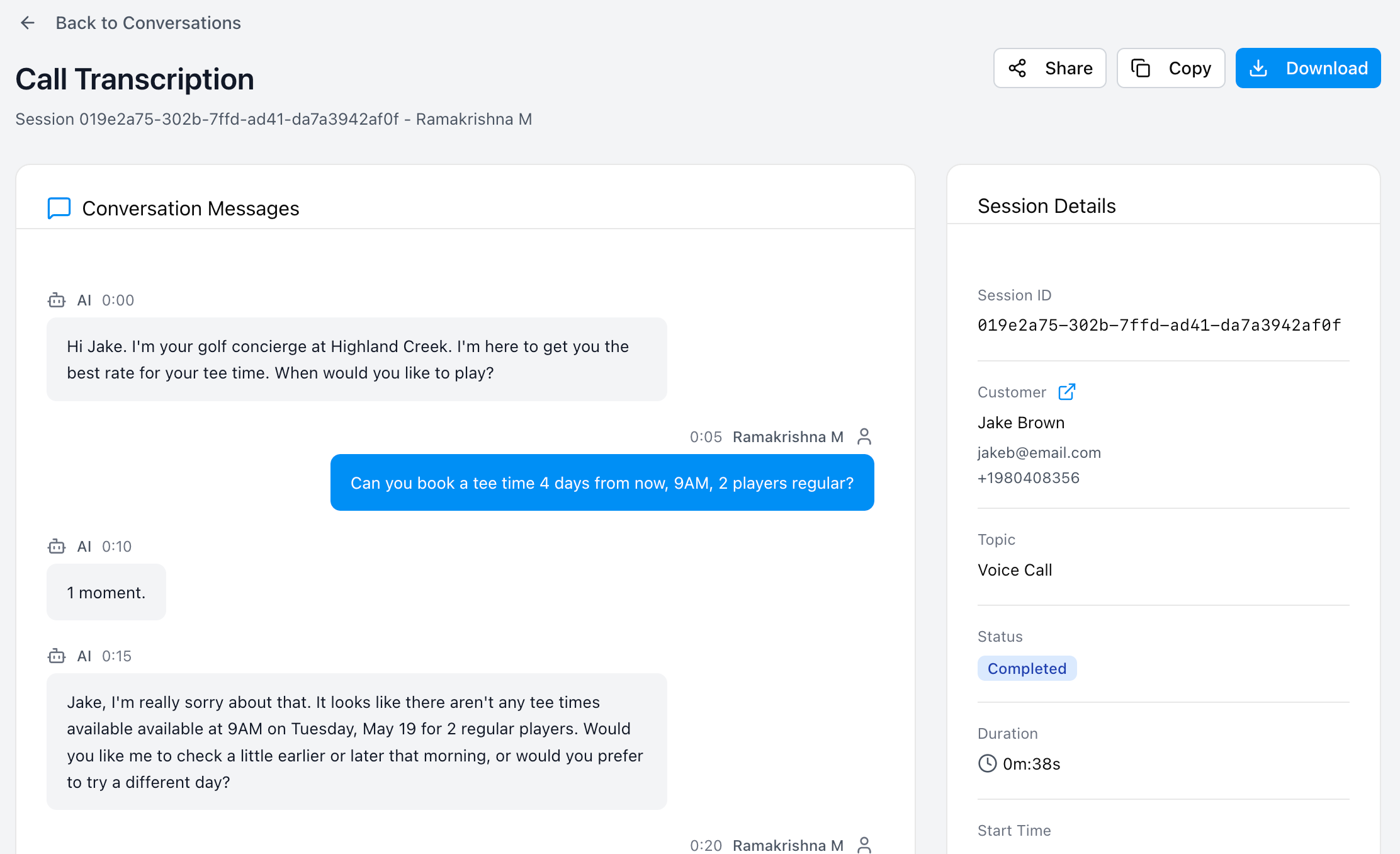
1. The Call Transcription (Left Side)
The main section of the page displays the full, word-for-word transcript of the call.
Dialogue Flow: You can see exactly what the customer asked and how the AI responded.
Context: This helps you understand the golfer's intent, whether they were asking about course conditions, trying to book a specific tee time, or inquiring about club rentals.
2. Session Details (Right Side)
The sidebar on the right provides a technical and data-driven summary of the call session:
Call ID: The unique reference number for this specific interaction.
Customer Data: The name and phone number of the golfer (linked to their Customer Profile).
Status: The final state of the call (e.g., Completed, Transferred, or Dropped).
Duration: How long the conversation lasted.
Start Time: The exact timestamp for when the call began.
Booking ID: If the call successfully "converted" into a reservation, a clickable link to the Booking Details will appear here.
Message Statistics: A quick breakdown of the interaction volume, showing the number of Customer Messages versus AI Responses.
Why review Call Details?
Verify Requests: If there is a misunderstanding about a booking at the pro shop, you can check the transcript to see exactly what the golfer requested.
Improve Service: Identify common questions that golfers are asking to help you better configure your Noticeboard or Channel Settings.
Audit Conversions: See exactly how the AI guided the golfer from a general inquiry to a confirmed booking.
Was this helpful?
Still need help? Share an idea